Editing is Hard
LLMs are very good at generating artifacts from scratch, but that is rarely enough inside companies, where most of the work involves editing existing files.
In this article, we talk about our experience deploying an AI agent for editing a PPTX template for one of our customers. They have an in-house presentation specialist who had created a PPTX template for sales proposals. The sales team would spend 45 minutes to 1 hour after every sales call editing the template and making personalized proposals for their clients. The expectation from our engagement was to build an AI agent that could do this.
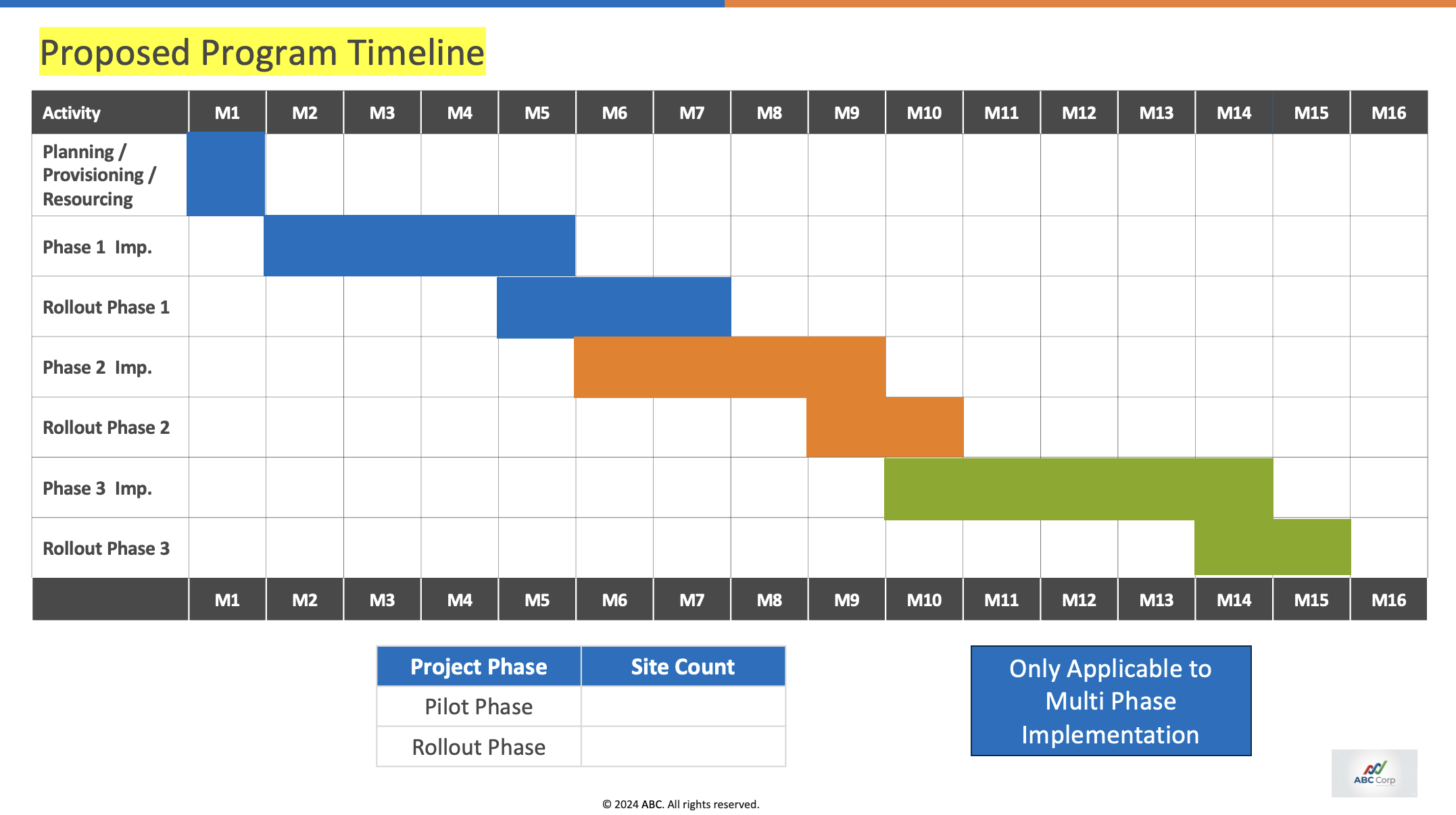
Example slide:
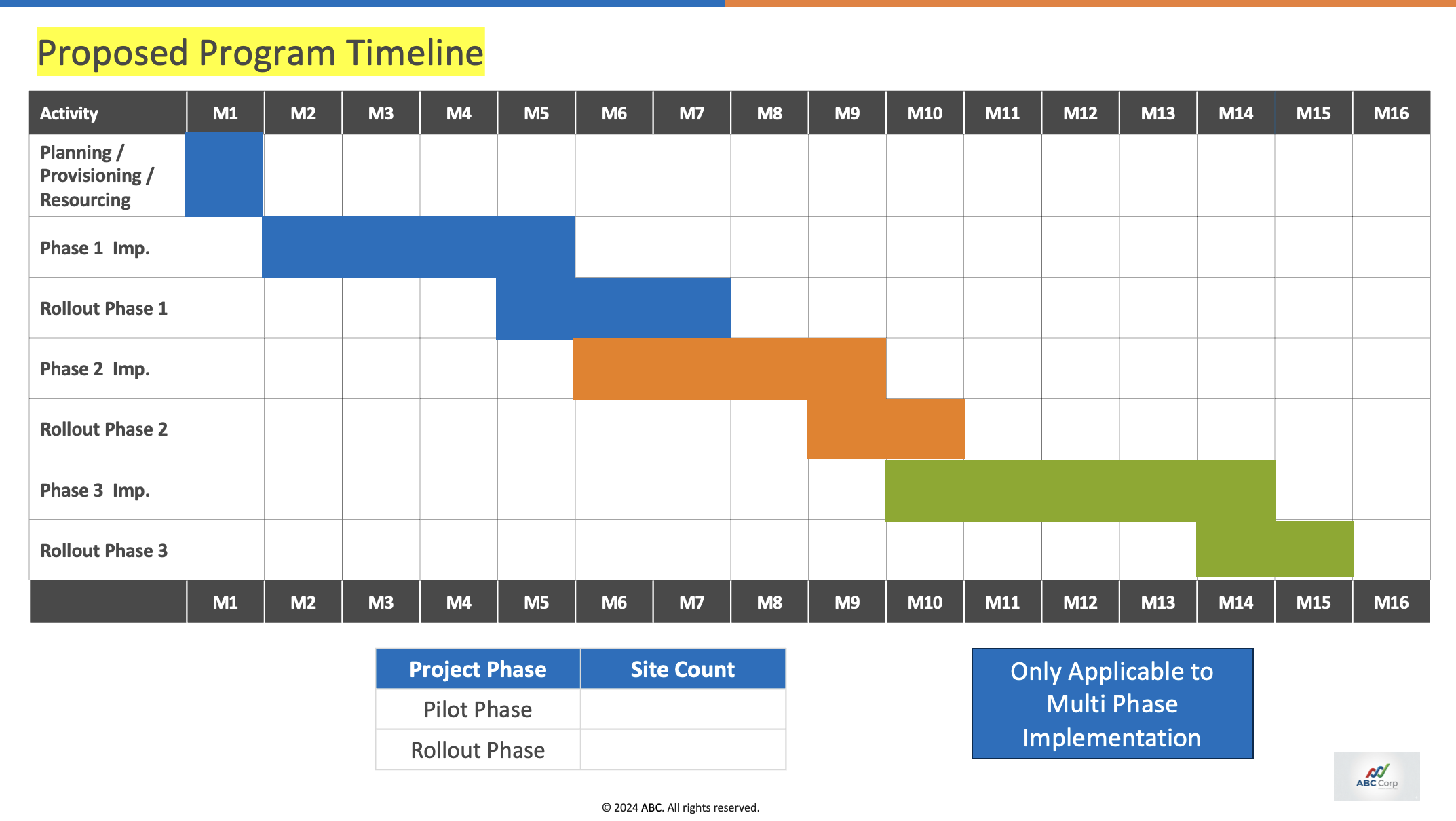
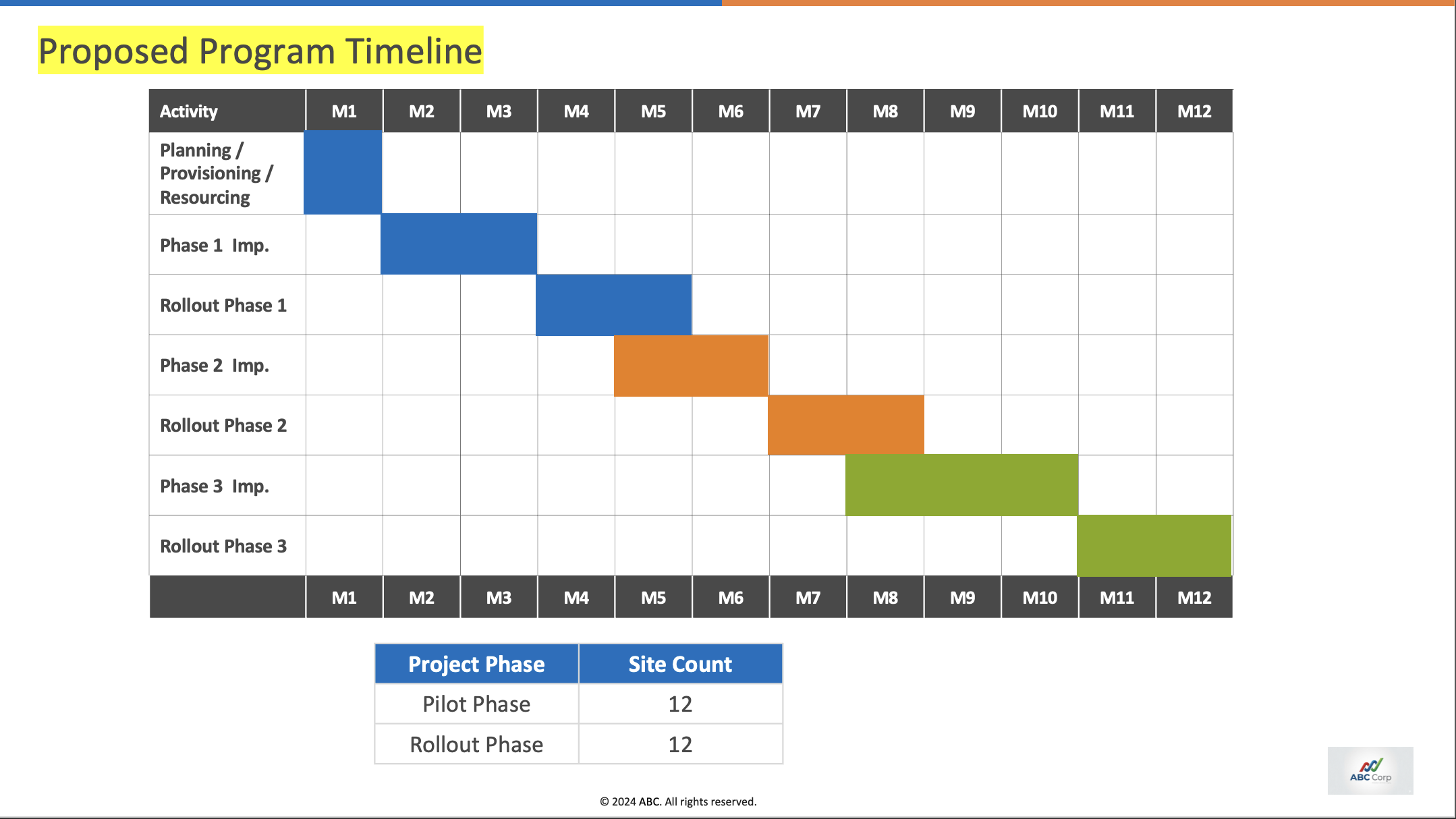
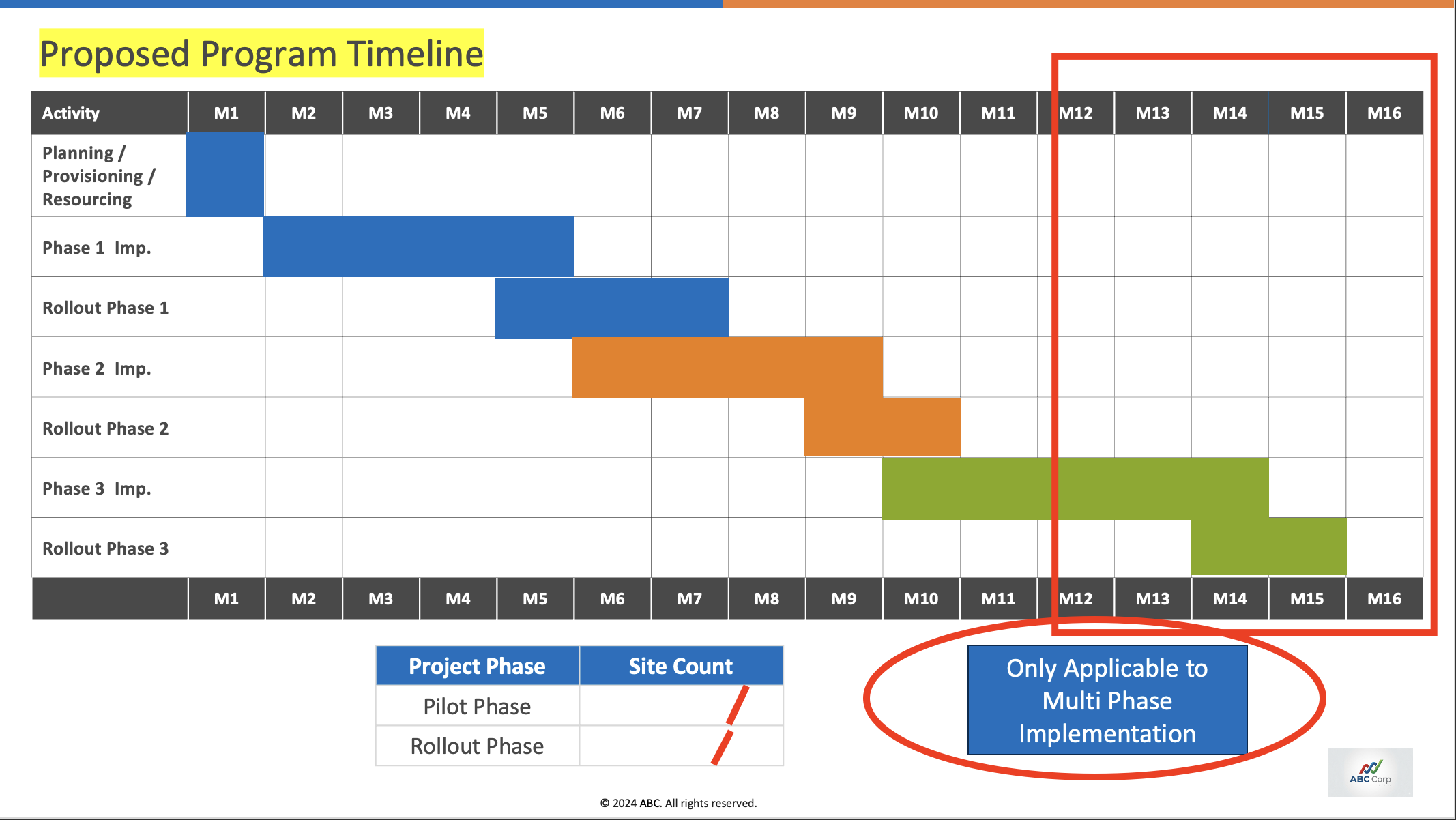
From the transcript, the agent has to infer:
- The timeline is reduced to M1–M12.
- The blue badge needs to be removed.
- The site count must be filled in.
Our approach
Step 1: Dataset preparation
We collected 44 sales call transcripts from the past 3 months and anonymized them for our evaluation. Anonymization replaced customer names, speaker names, URLs, emails, phone numbers, engagement IDs, dates, timestamps, and company/product references.
Step 2: Rubric design
We analyzed the template slide deck and created a slide-by-slide rubric for the expected changes. Every slide was given a score from -0.5 to 2 based on the following table.
| Score | Remark |
|---|---|
| -0.5 | The slide is not usable |
| 0 | The agent was expected to make some changes but did not do them |
| 1 | The agent made the expected change |
| 2 | The agent made the expected change in a visually complex slide, e.g., a timeline slide |
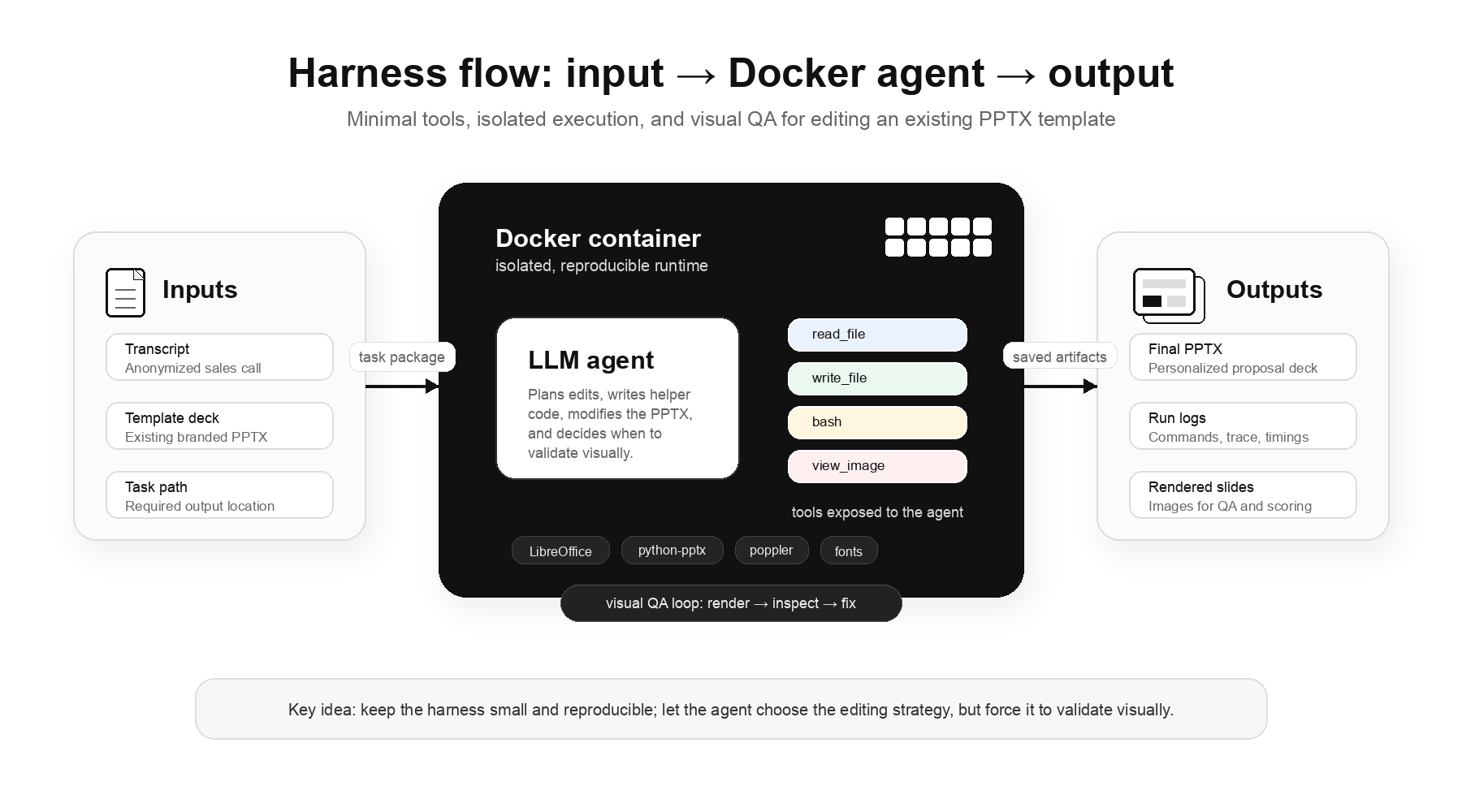
Step 3: Harness design
Our approach uses minimal tools and allows agents to figure out the actions by writing code. The tools our harness has are: read_file, write_file, bash, and view_image. The view_image tool gives the agent a nudge to do visual QA before claiming that the work is done. The agent runs inside a Docker container with installed libraries like LibreOffice and python-pptx.
Step 4: Evaluation
We performed a one-pass evaluation with 3 models: GPT 5.5, Opus 4.7, and GLM 5.1.
We scored each slide based on the rubric shared above using an LLM as a judge. 25% of the outputs were manually reviewed to ensure the LLM-as-a-judge aligned with the expectations.
From our rubric:
| Score | Remark |
|---|---|
| >24 | The deck is perfectly usable |
| 16-24 | Can be used with manual editing |
| 10-16 | Needs huge refactoring |
| <10 | Cannot be used at all |
In our complete run, we kept thinking off and a timeout of 15 minutes. This was primarily done to reduce the increasing cost of running the evaluation. It is important to note that relaxing these parameters in some runs did not yield any meaningful improvements.
Findings
Overall scores
| Model | >24 | 16–24 | 10–16 | <10 |
|---|---|---|---|---|
| Opus 4.7 | 2.3% | 63.6% | 20.5% | 13.6% |
| GLM 5.1 | 0.0% | 9.1% | 84.1% | 6.8% |
| GPT 5.5 | 0.0% | 9.1% | 0.0% | 90.9% |
Percentages reflect the number of runs; 2.3% of 44 runs produced useful decks with Opus 4.7.
GPT performed poorly at producing usable slides, GLM is okay-ish, and Opus is decent.
1. Editing mishap
The primary reason for GPT’s poor performance was that it often failed to treat the task as an editing task. Like the other models, it sometimes produced a visually inconsistent first attempt. But instead of making targeted fixes to the existing slide, it often switched to generating an entirely new slide layout. In real-world workflows, those outputs are not useful because they discard the customer’s original template. Opus 4.7 and GLM 5.1 were much more consistent about preserving the template while making edits.
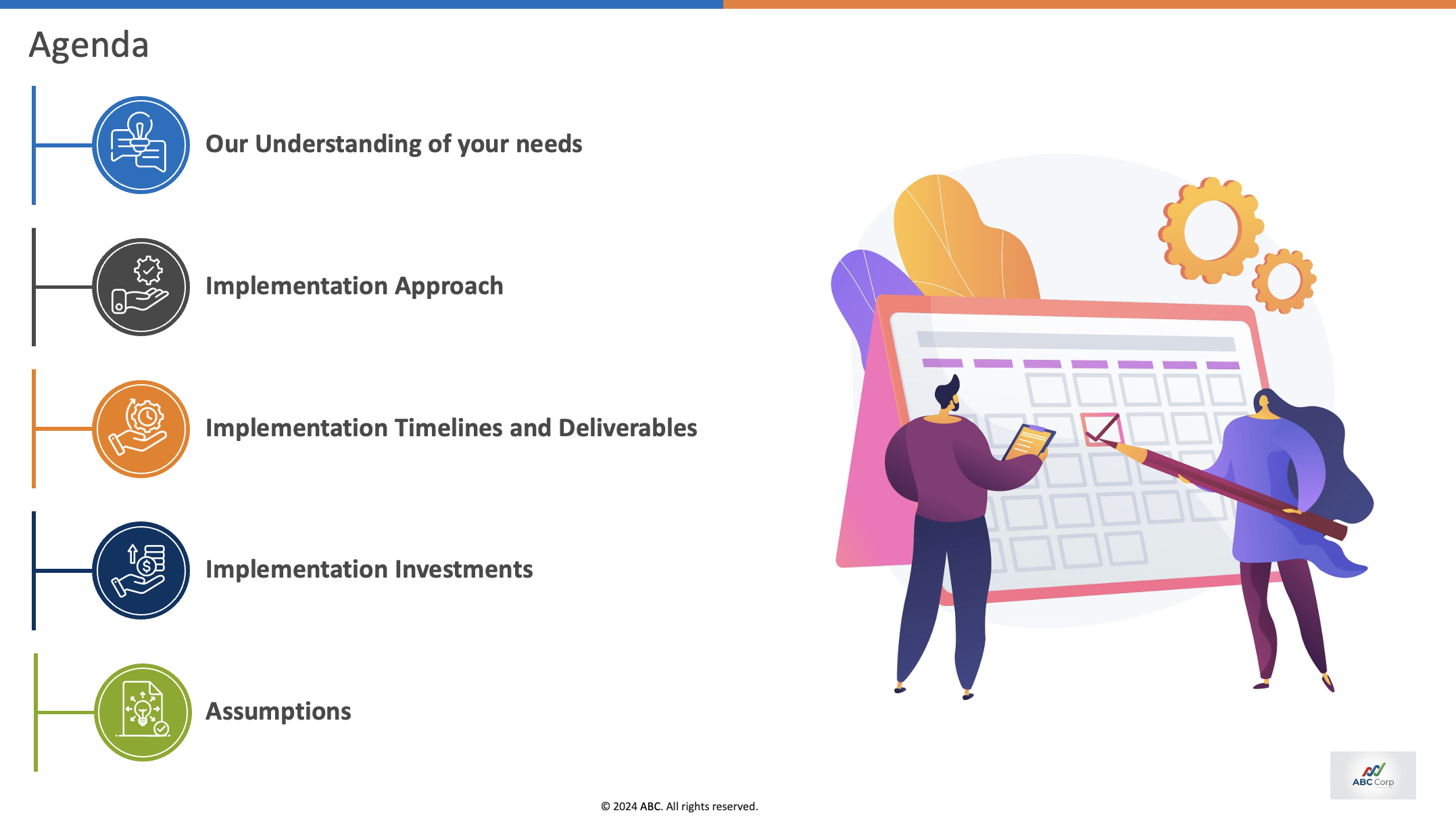
Expected change: no change. The agent should preserve this slide exactly as-is.
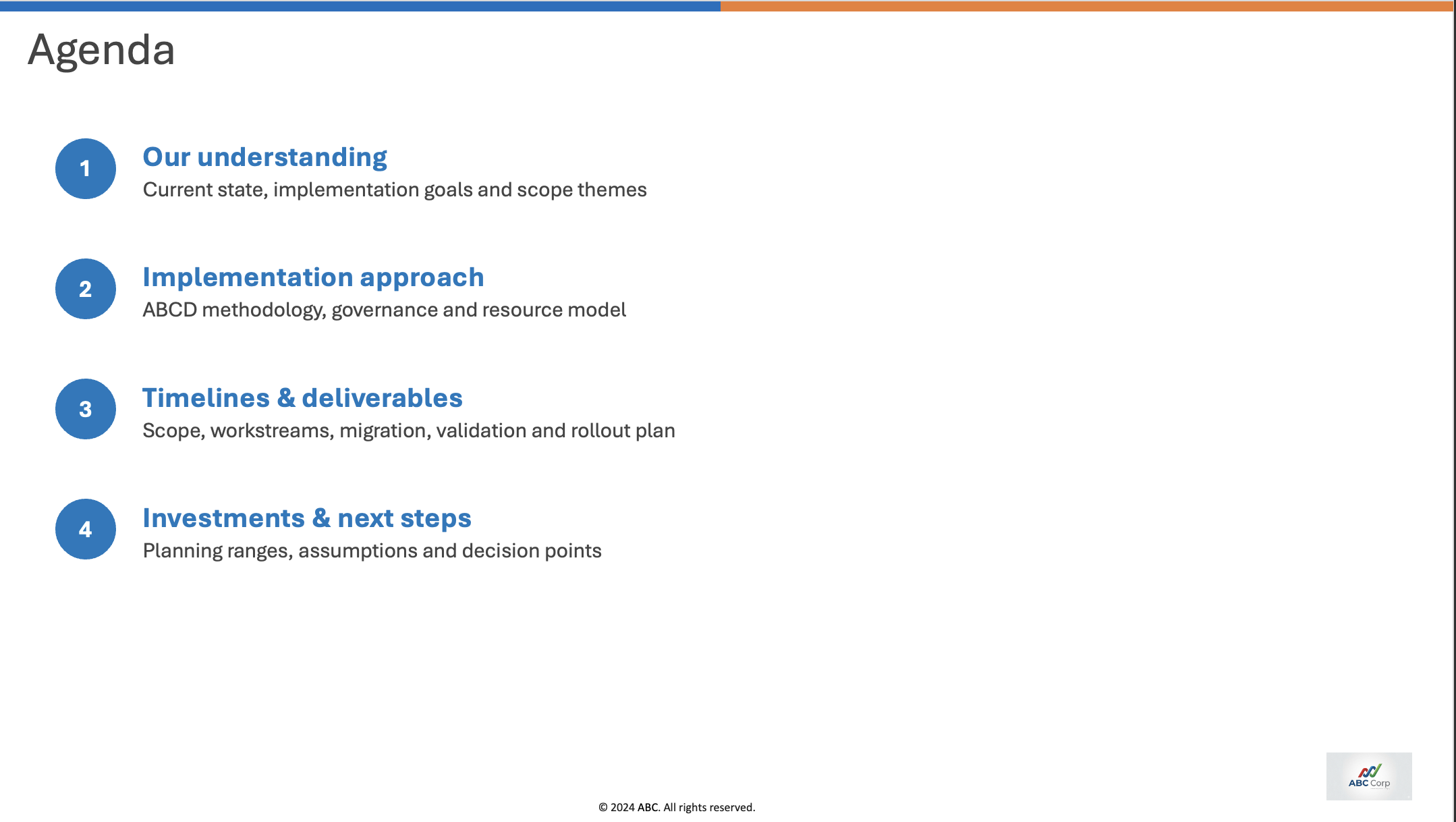
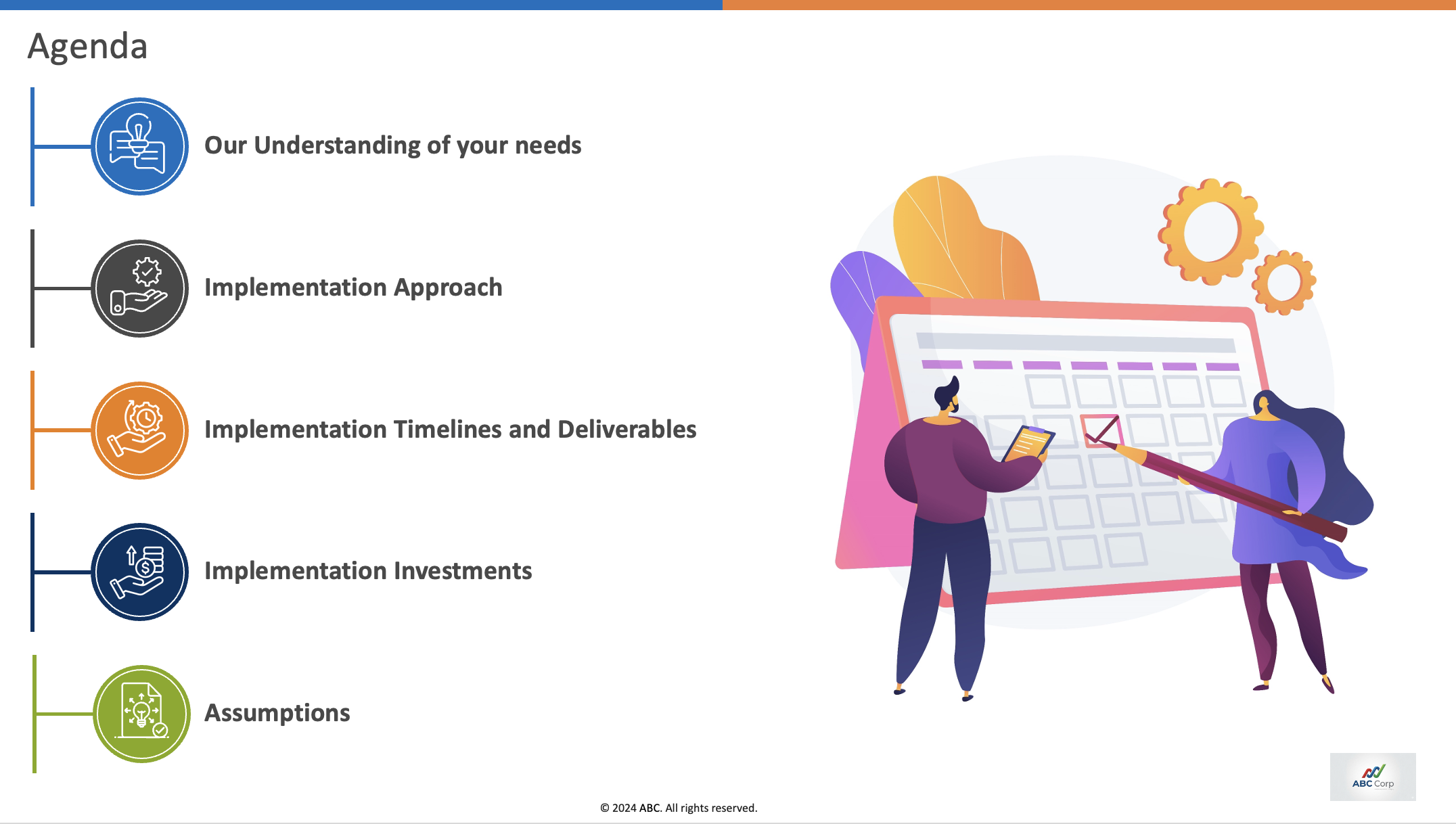
Editing score = the percentage of slides that got a passing score (1 or higher). A passing score means the slide was either edited correctly or, if it was not supposed to change, preserved correctly.
| Model | Editing score % |
|---|---|
| Opus 4.7 | 62.4 |
| GLM 5.1 | 51.9 |
| GPT 5.5 | 16.8 |
2. Visual consistency
All three models struggle to keep the layout intact in visually dense slides. Slide 13 and Slide 14 are some of the visually complex slides where all three models score negative.
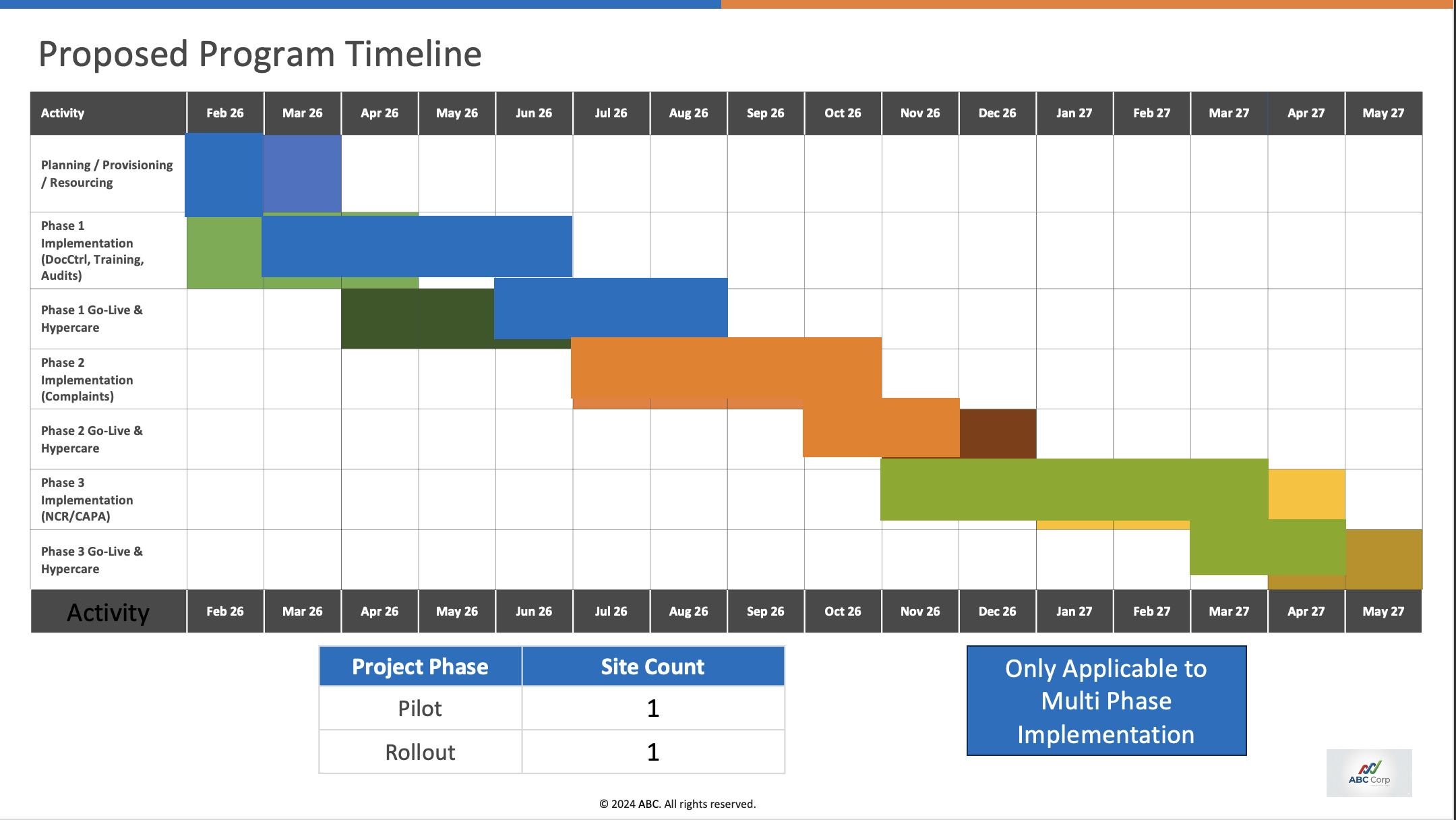
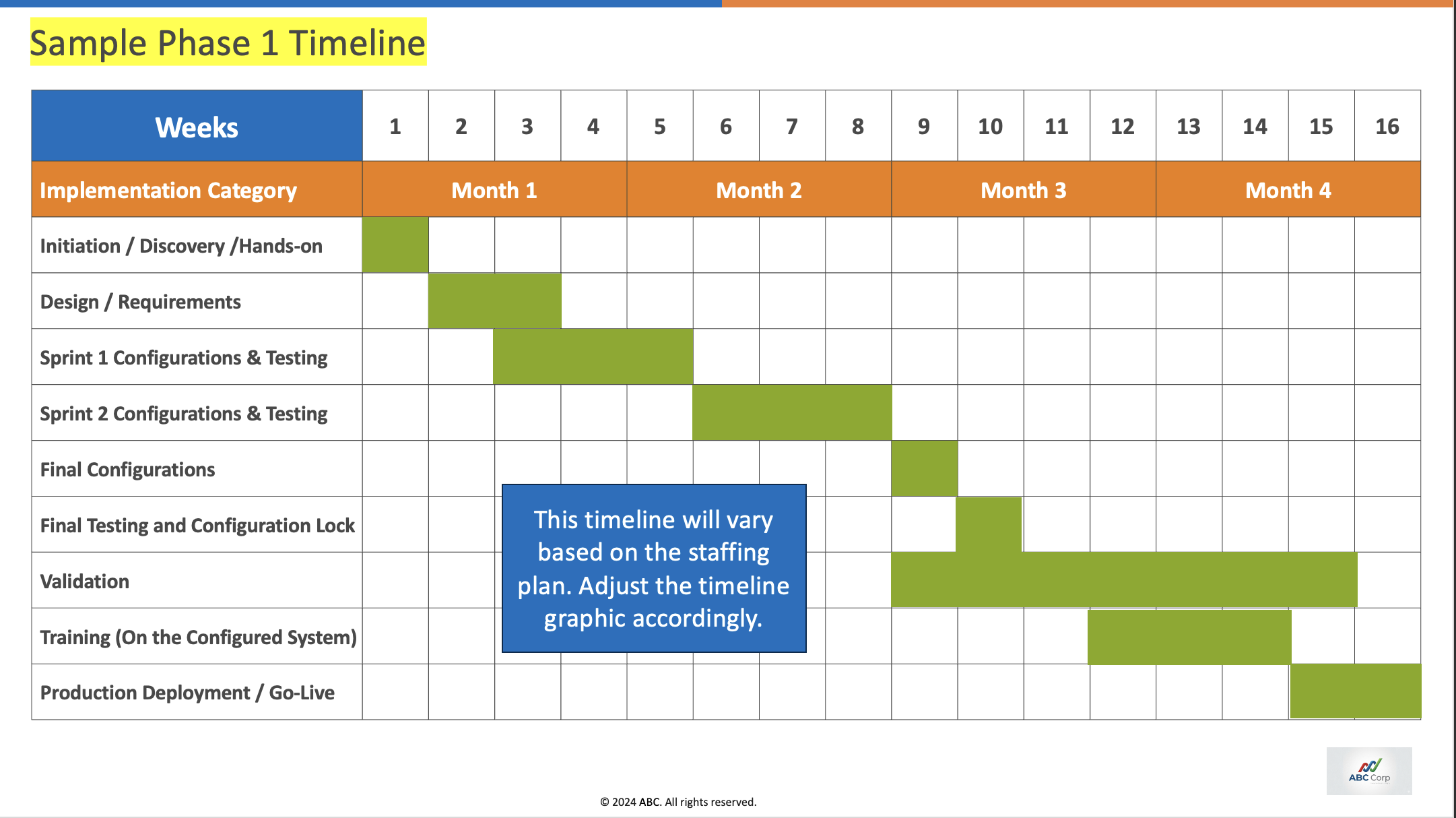
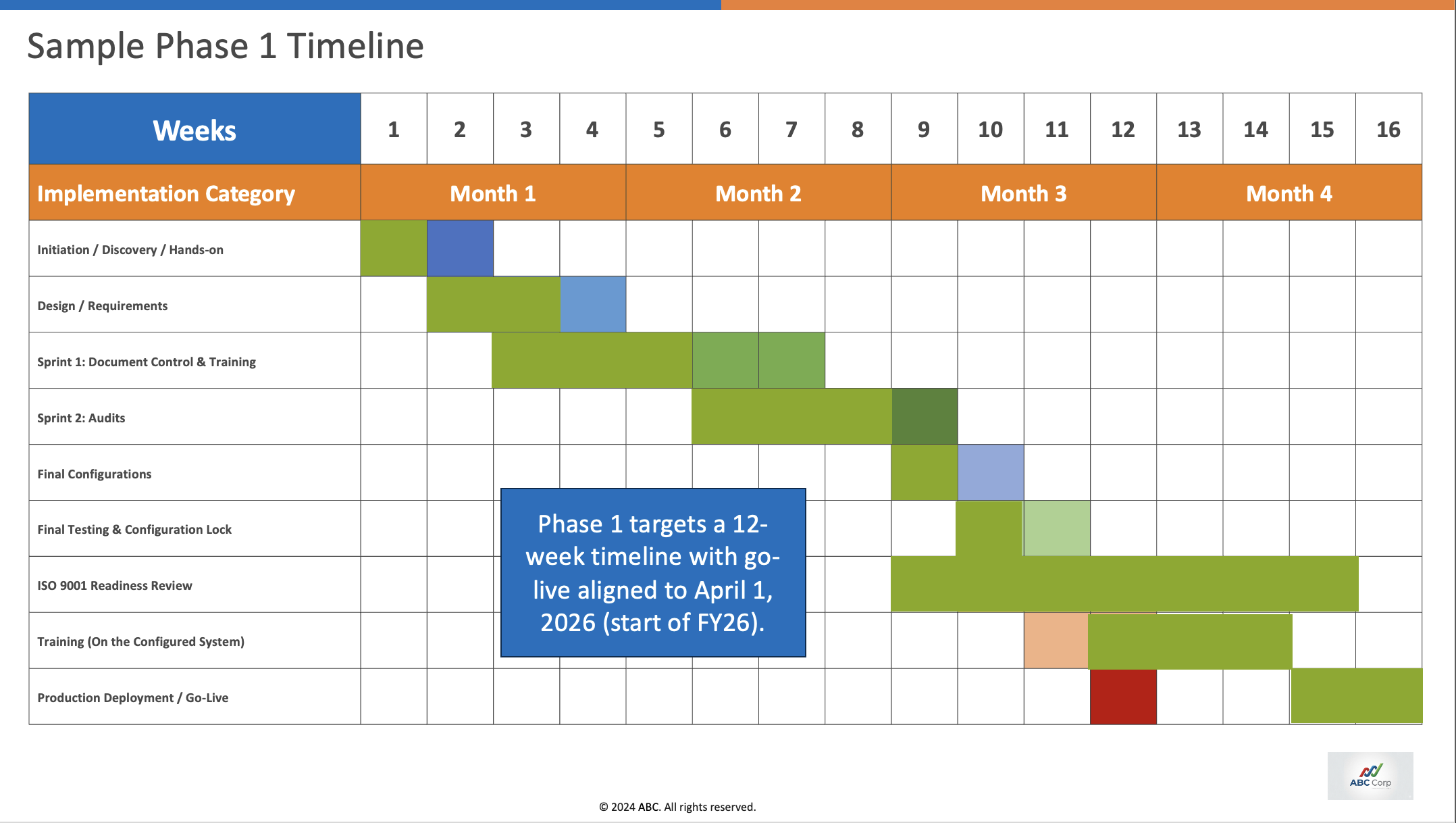
| Model | Slide 13 avg score | Slide 14 avg score |
|---|---|---|
| Opus 4.7 | 0.000 | -0.103 |
| GLM 5.1 | -0.407 | -0.372 |
| GPT 5.5 | -0.091 | -0.114 |
A negative score means the slide is not usable
3. Reasoning
Some slide edits require a sequence of dependent changes rather than a single text replacement. For example, if the agent is asked to remove the “Data Migration” step from a process slide, the expected behavior is not just deleting the label; the surrounding structure also has to be reconciled.
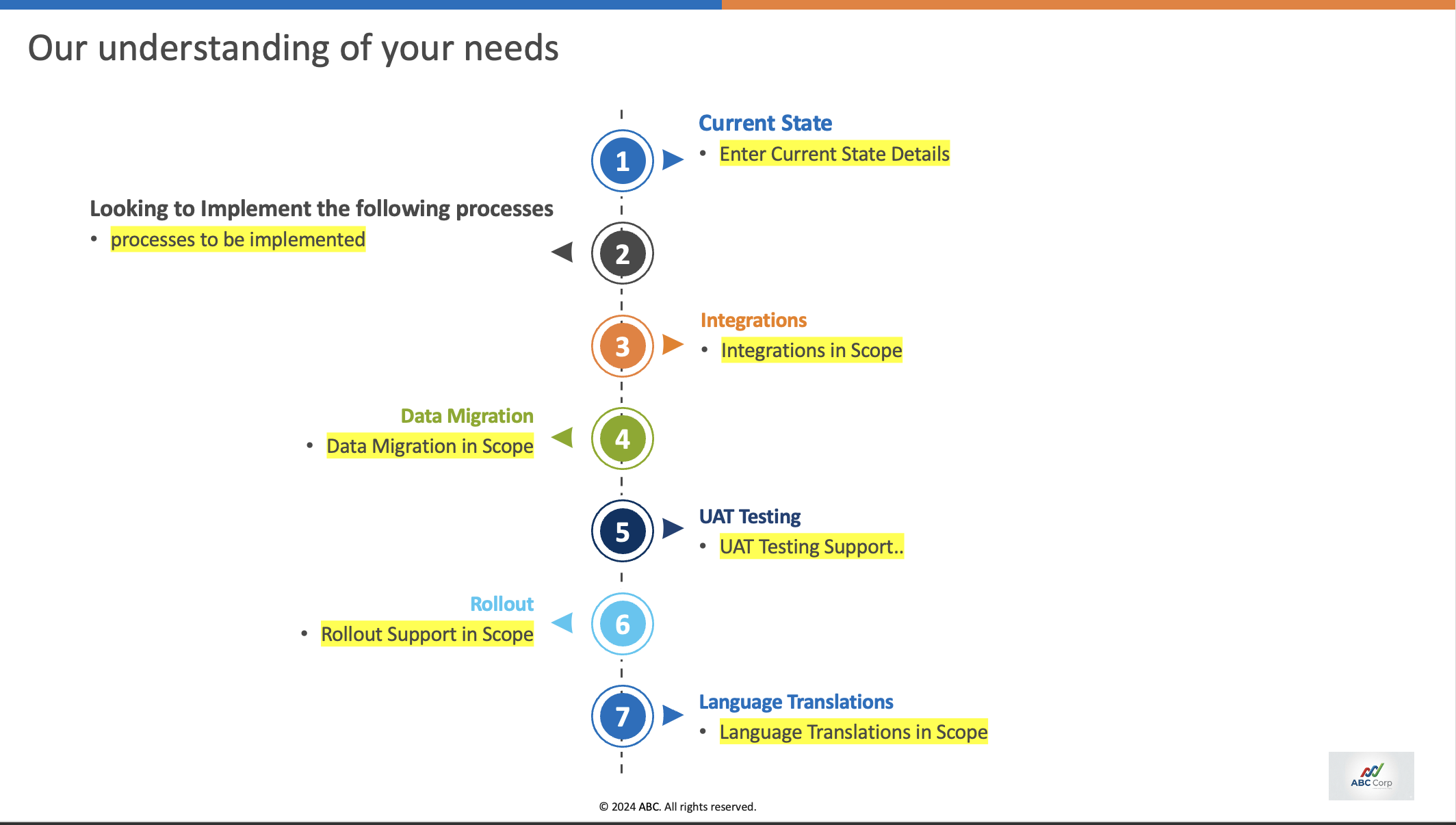
Expected reasoning steps
- Remove the Data Migration step.
- Reorder the remaining step numbers.
- Ensure the arrows point in the correct direction.
- Remove excess dotted connector lines left by the deleted step.
- Adjust overall spacing so the slide remains visually balanced.
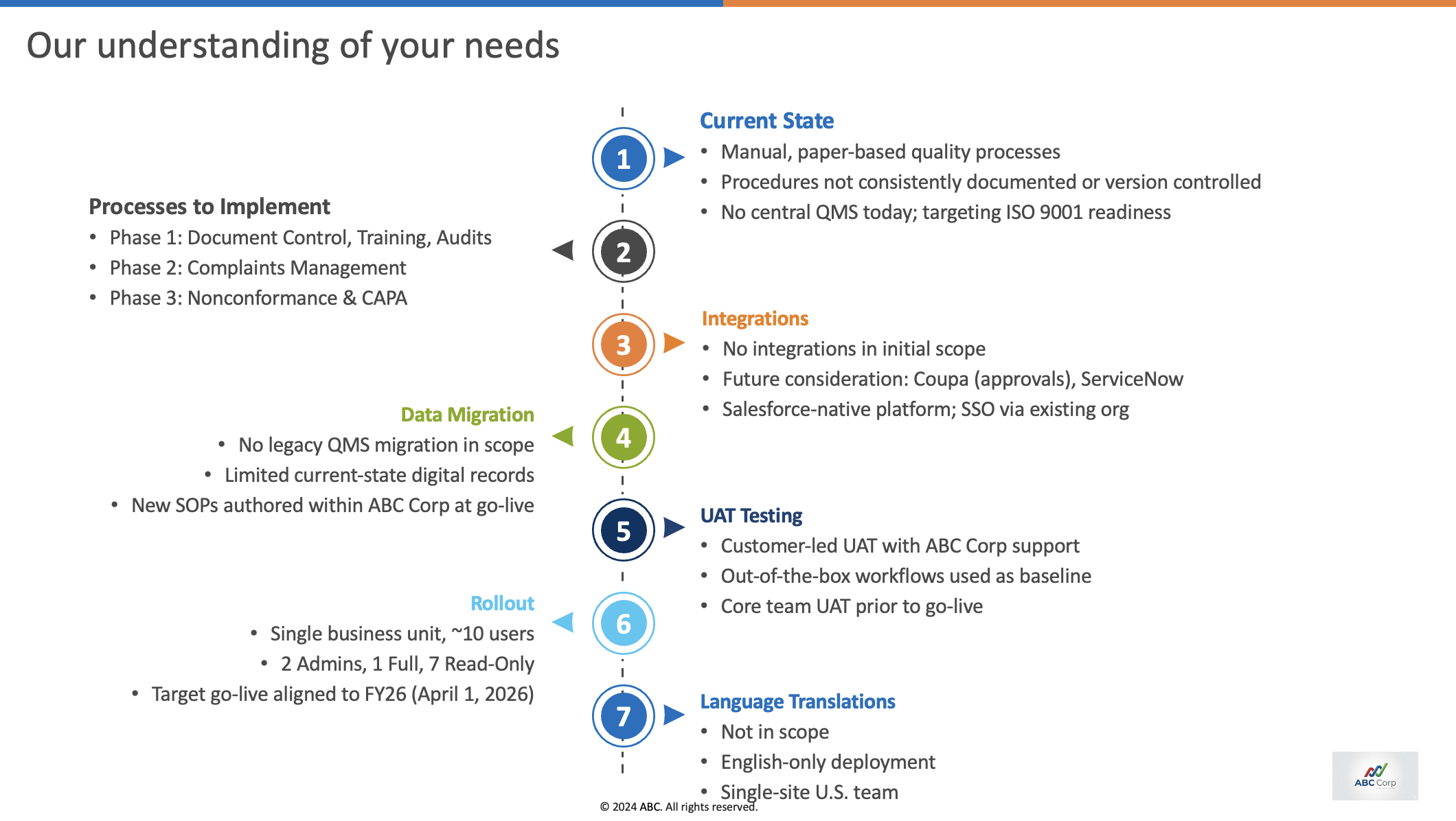
Reason for mistake
The agent did not remove the data migration step at all.
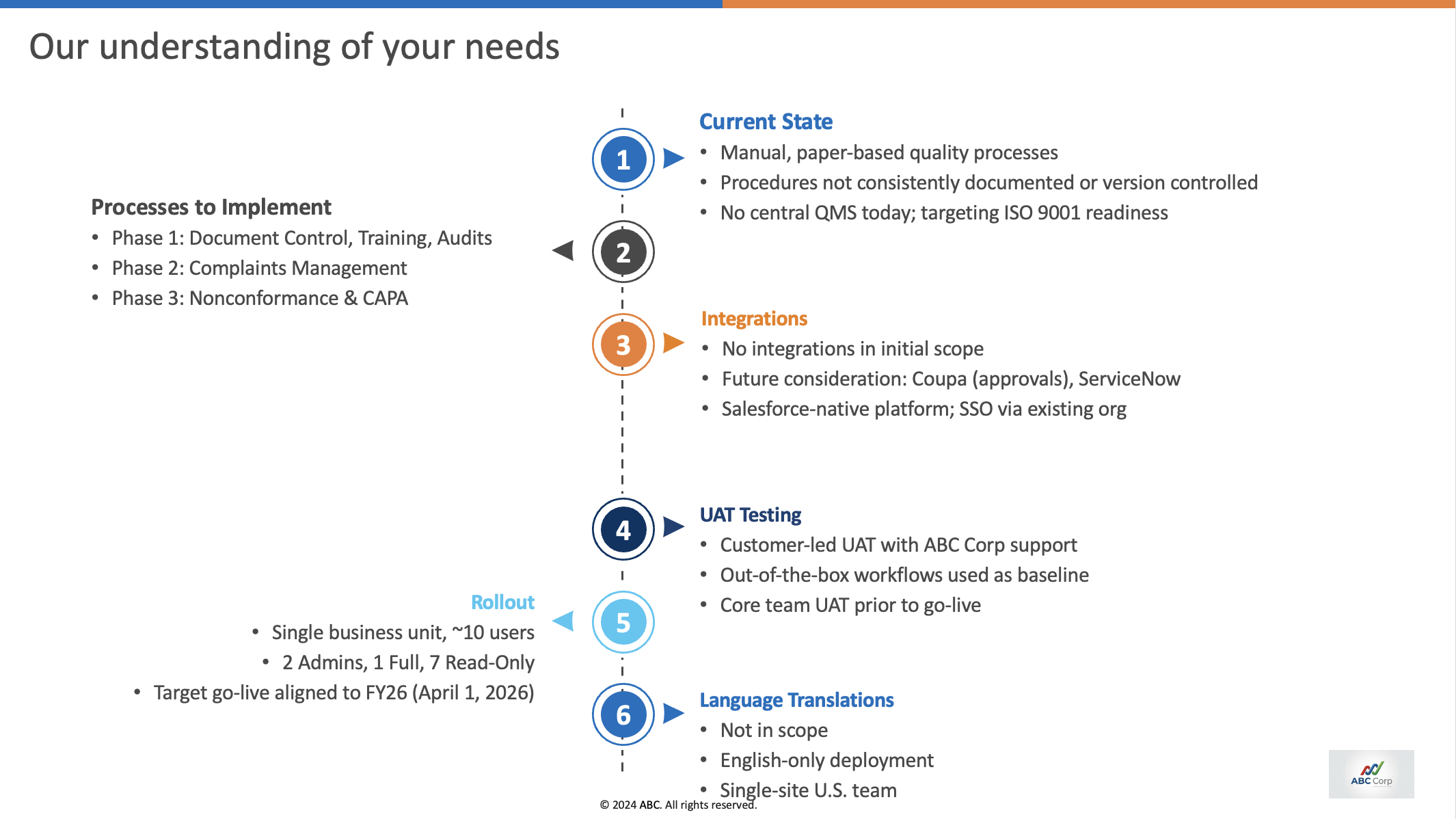
Reason for mistake
The agent failed to change the direction of the arrows after step 3.
LLM agents often struggle to complete all of these dependent edits without explicit prompting for each sub-step.
4. Laziness
GPT 5.5 stops early, claims to have done the work, and does not perform much of the visual QA needed. Opus does visual QA extensively and only fails at highly complex layouts. GLM, on the other hand, spends time doing a text/script-based build + validation loop via bash.
| Model | Avg run time |
|---|---|
| GPT 5.5 | 303.1s |
| Opus 4.7 | 623.4s |
| GLM 5.1 | 486.4s |
Repository
The evaluation code is available here: abhishek203/ressl-pptx-eval